The workspace around the agent

Your whole project, finally in view.

Ordne brings the coding agents, services, terminals and context around a project into one calm workspace—then lets you operate that same project from wherever you are.

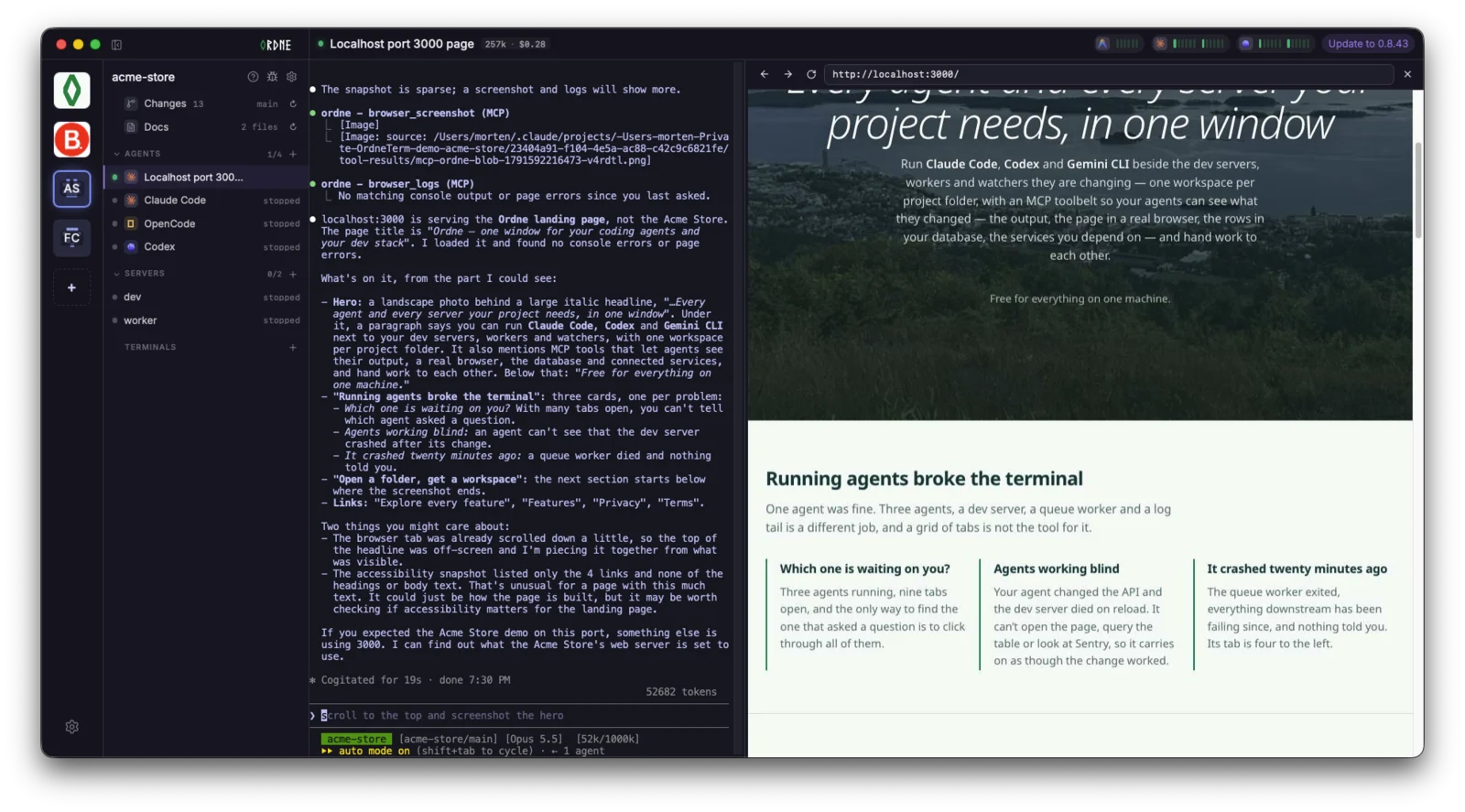
An Ordne project workspace showing agents, commands, Changes, Docs, terminals, live usage and an agent awaiting a decision.
One project, with its agents, commands and context in view

Open a folder, get a workspace

Start with what the project already knows.

Ordne looks at a folder before asking you to set anything up. It finds the Git working tree, the docs folder, and the scripts the project already defines—then lets you choose what belongs in the workspace.

  • Turn existing package scripts into named servers or run-on-demand actions.
  • Bring the project’s docs and Changes view into the workspace from the first open.
  • Review recommendations before anything is started; Ordne never treats a script as permission to run it.
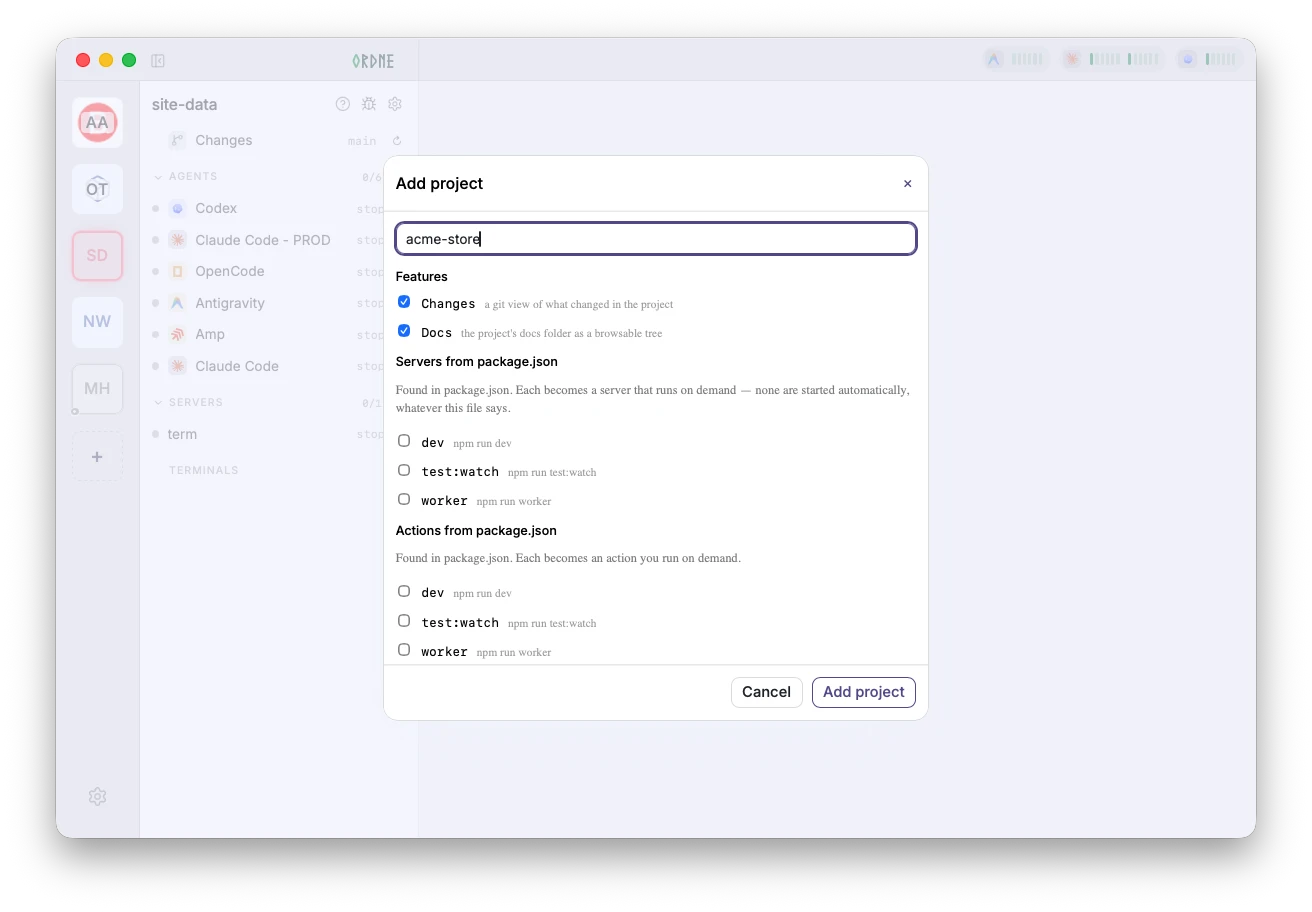
Ordne’s Add project dialog detects Changes, Docs, and scripts available as servers or actions in a selected project.
Ordne detects what the project already knows

Attention, not tab roulette

Know exactly where you’re needed.

When several agents are working at once, a collection of terminal tabs makes every interruption a search problem. Ordne gives each session a visible state, so the next action finds you.

  • See who is working, waiting, or asking for approval.
  • Open the relevant session directly instead of clicking through terminals.
  • Keep real interactive control when you need to take over.
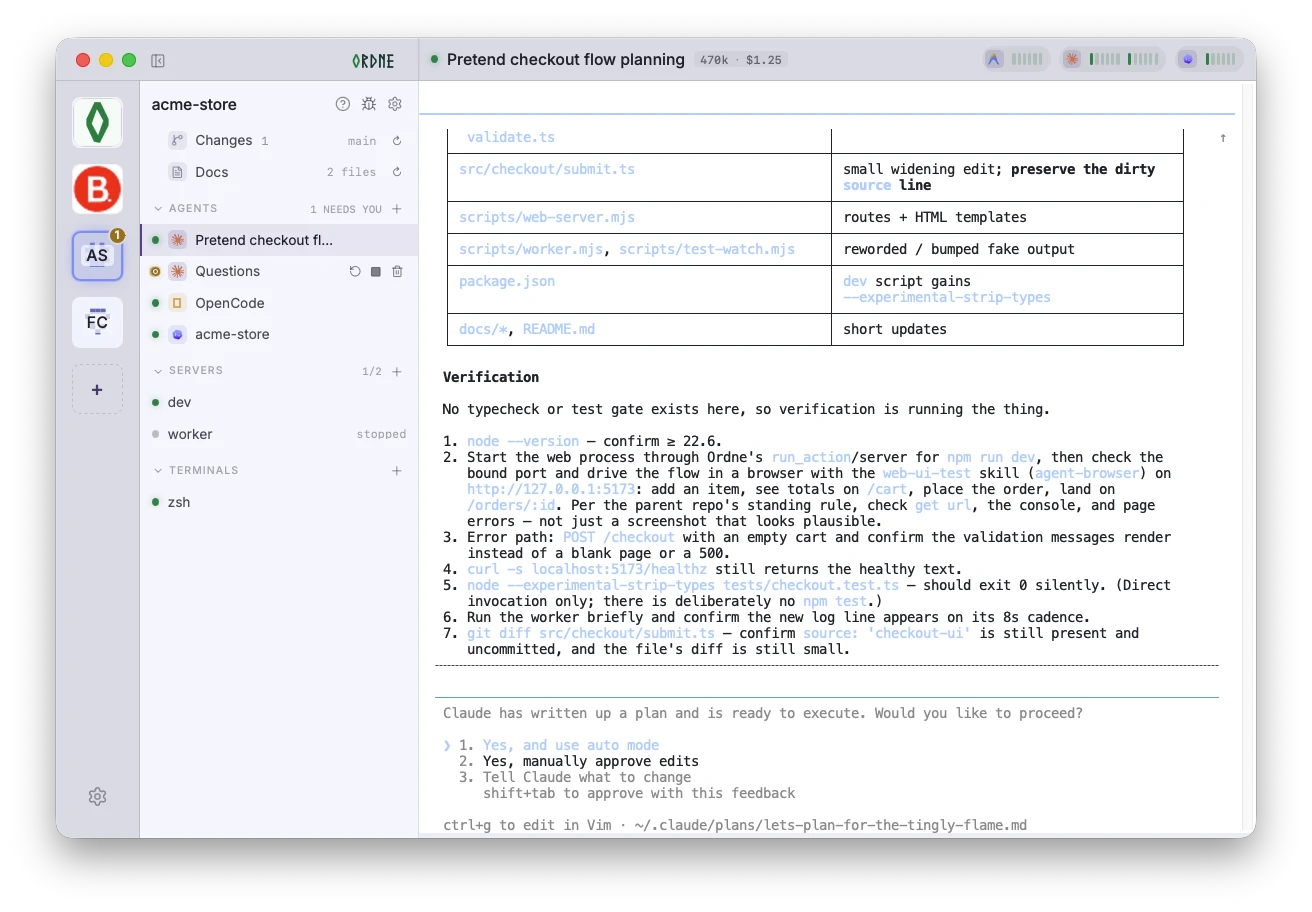
Ordne’s agent rail showing active sessions and their green running and amber needs-your-input states.
Agent state is visible in the rail, before an interruption turns into a search

Project badges flag unanswered attention across your projects, and notifications bring you back when an agent needs a decision.
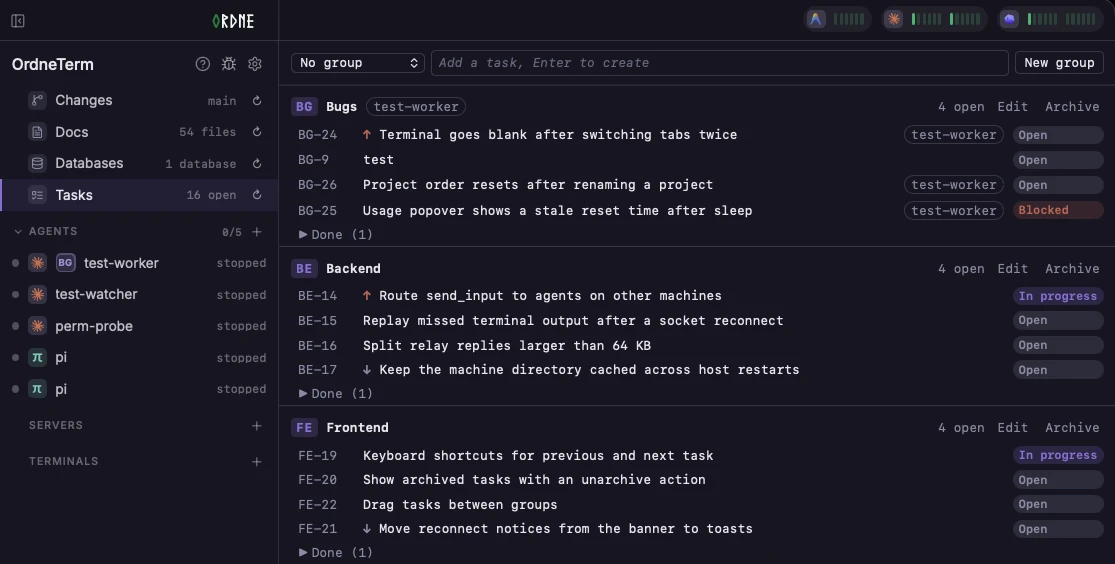
The project is more than an agent

Keep the real stack running beside the work.

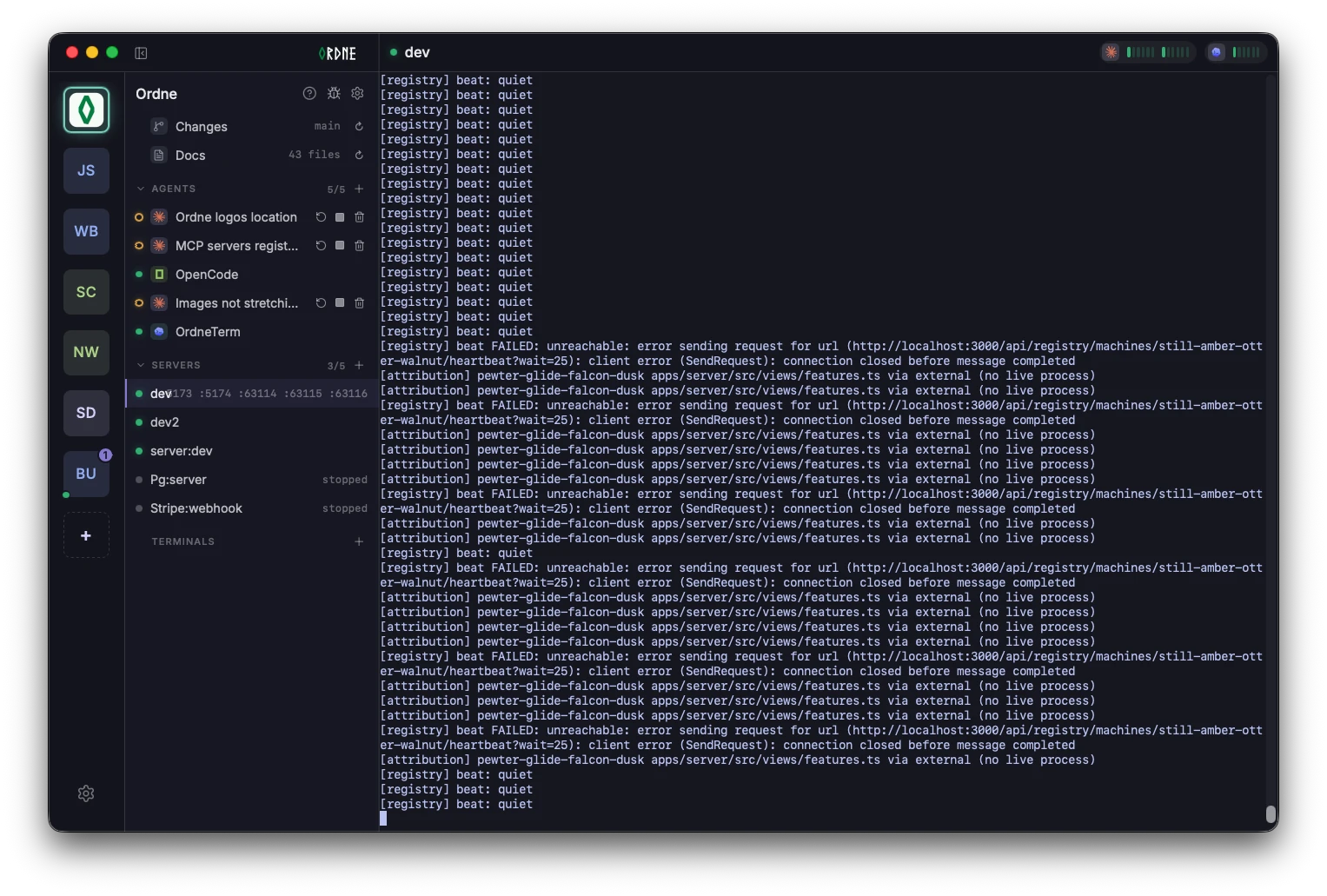
Dev servers, workers and watchers are part of whether a change works. Bring them up with the project, see them at a glance, and recover the long-running pieces that fail.

  • Start the development stack together, from project configuration.
  • Give durable commands an intentional home rather than another unnamed tab.
  • Restart a service after an unexpected exit instead of discovering it later.
Ordne’s live project view with agent and server states beside a running development server terminal.
A live server beside the agents and project state it supports

MCP, with a job to do

Give agents the context to finish the job.

Ordne’s MCP toolbelt connects supported agents to the project they are already changing. An agent can check the running system, wait for it to be ready, and coordinate with another agent—not merely produce a patch and hope.

  • Read process output to verify that a change really worked.
  • Start, stop or restart project commands when the stack needs it.
  • Wait for a port, then proceed when the service is actually listening.
  • Hand a finding or task directly to another agent.
Agent tools · acme-store
Agent session
The checkout endpoint changed.
I’ll check the running service.
get_process_output
process: web · last 200 lines
wait_for_bound_port
port: 5173
The real stack
web listening on :5173
! reload after src/api/checkout.ts
GET /api/checkout 200
send_agent_message
to: docs · “API shape changed”
Product capture placeholder · MCP toolbelt

Usage without the surprise

See the cost and capacity of the work.

Usage is visible where the work happens. Supported runtimes can report live per-agent tokens and cost, while subscription badges make a tightening session or weekly window hard to miss.

  • Spot the agent consuming tokens and cost while it runs.
  • Decide whether there is room to begin the next substantial task.
  • See clearly when a runtime cannot report, rather than mistaking untracked for free.
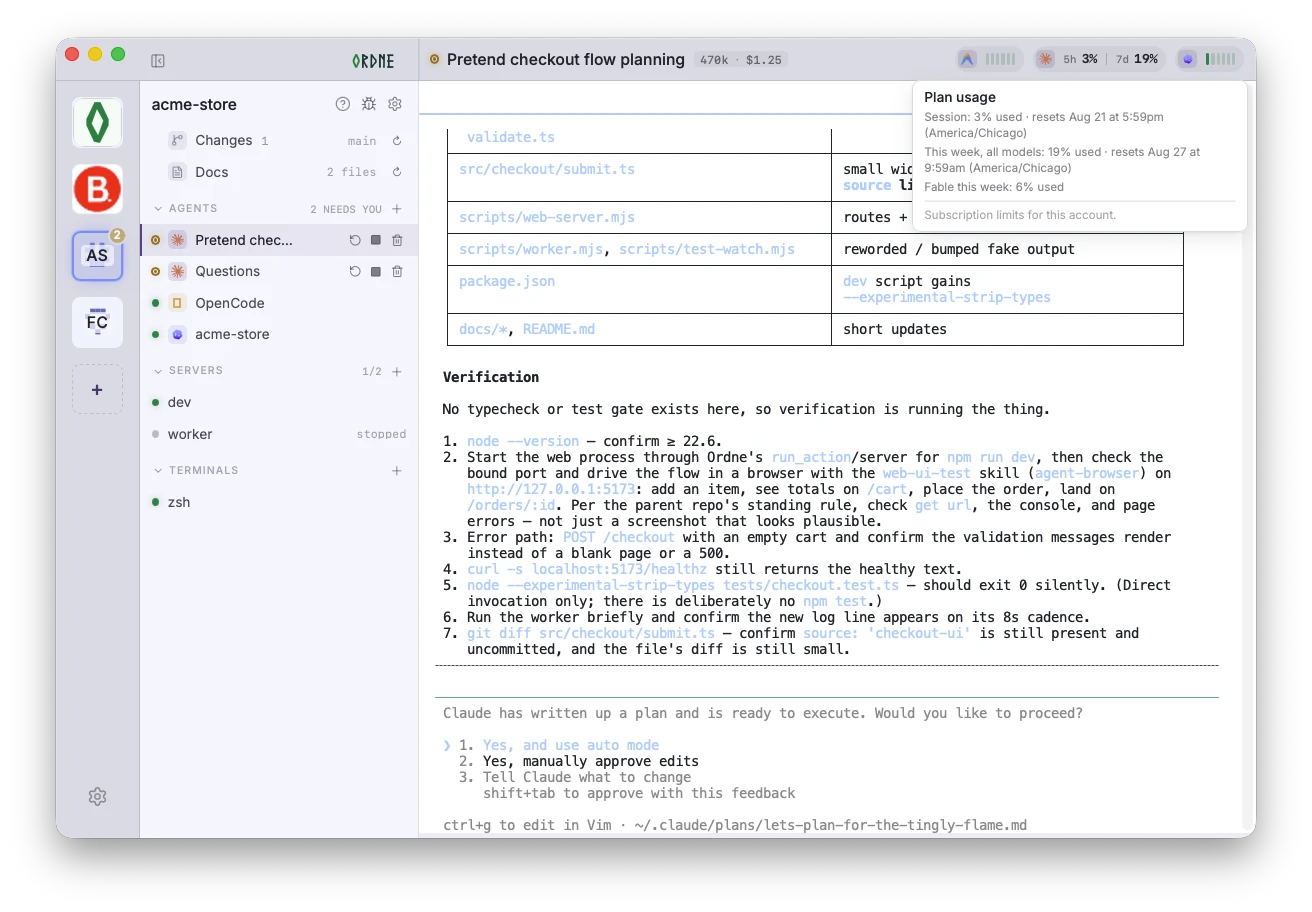
Ordne's plan usage popover, showing session and weekly model usage, reset times, and the usage indicators in the project header.
Usage stays visible in the project header; hover for the details

The work is visible while it happens

Watch the working tree take shape in real time.

Every agent claim is easier to trust when the files, diffs, agent activity, and project processes stay in one view. Ordne refreshes the working tree as work happens, so you can follow the real project rather than reconstructing it from a transcript.

  • See every changed file and the live diff beside the agents doing the work.
  • Keep the project’s services, docs, and working tree connected in one place.
  • Use the diff as a concrete handoff point before the next task or review.
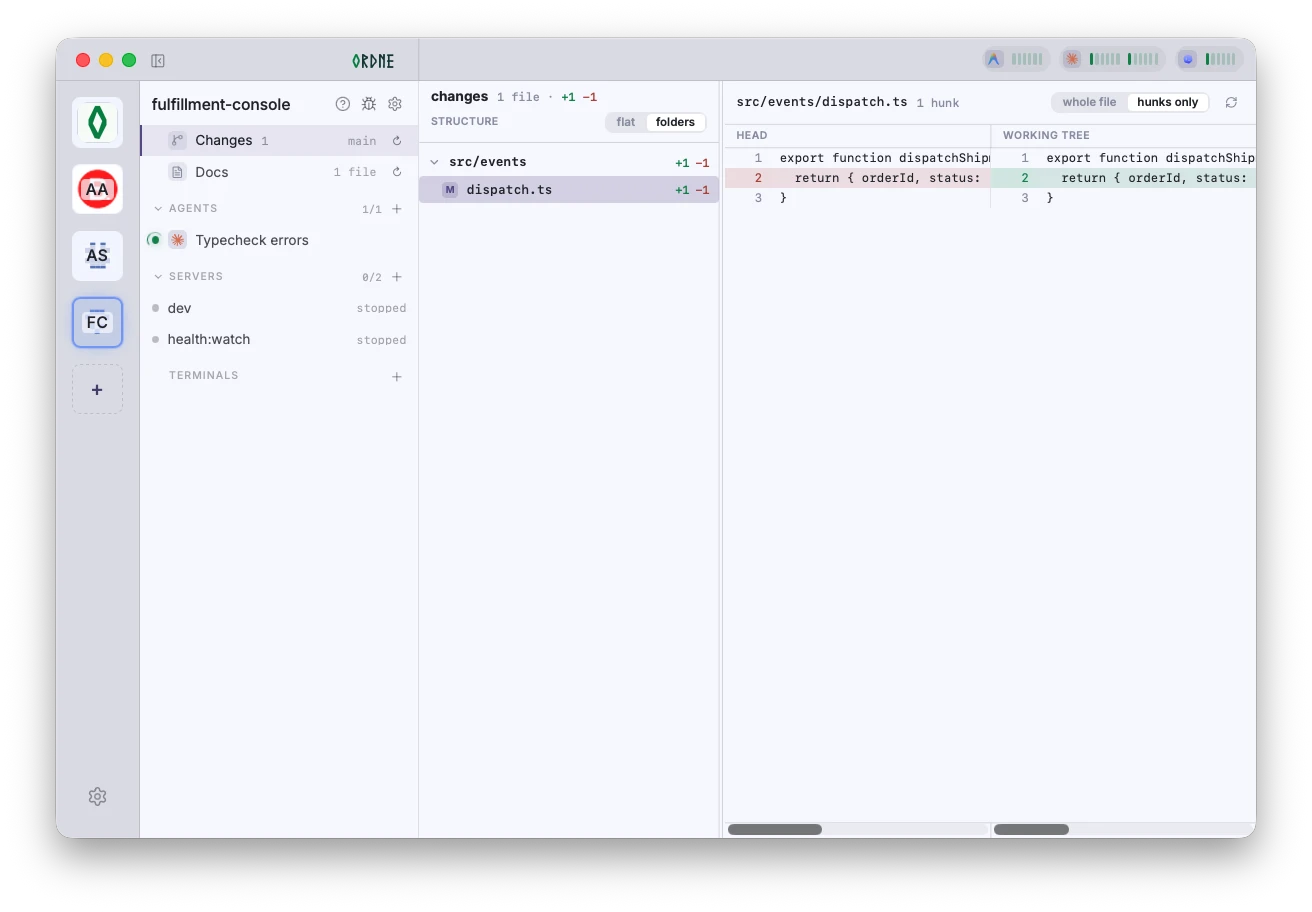
Ordne’s Changes view shows a live working-tree diff beside the project’s agents, servers and docs.
A live working tree, beside the people and processes changing it

The project stays where it runs

Operate the same project from another machine.

A project on your work machine can appear beside local projects on another Ordne client. Its code, shells and services remain where they belong; you get the ability to check in, act, and review from somewhere else.

  • Check agents and running services away from the host machine.
  • Open terminals, run agents, and review changes remotely.
  • Keep source code and project configuration on the machine that owns them.
Ordne’s live project view with agent and server states beside a running development server terminal.
A live server beside the agents and project state it supports
remote host · connected
↔ Encrypted WebRTCDirect between your machinesOrdne cannot read or store project data
acme-store · remote
Codex: API tests
Claude: checkout
1 agent needs you

Approve test command

A factual support matrix

Bring the agent environment you already use.

Every terminal-based agent can run in Ordne. The deeper integrations below are available only where a runtime exposes a safe per-launch path—no silent edits to the configuration you own.

EnvironmentActivity stateOrdne MCP
toolbelt
Project MCP
servers
Live usage
& cost
Subscription
limits
Claude CodeRichYesYesYesYes
CodexRichYesYesYesYes
OpenCodeStandardYesYes
AmpBasicYesYes
AntigravityStandardYes
GrokRich
KimiStandard
Copilot CLIStandard
AiderStandard

Rich means Ordne can identify more than simple process activity; Standard uses terminal activity signals; Basic reports that the process is running. A dash means the integration is not currently available.

Your code stays on your machine.

Agents run locally, in your shell, against your working copy. Ordne is not a cloud sandbox or a repository-upload workflow—its hosted service is there to connect the machines and account you choose to use.